

Description
Maca Tjatt adds a floating chat widget or inline shortcode to your site. Visitors can ask questions and get answers based on your website content.
-
Uses the WordPress 7.0 AI Client (no plugin-managed API keys)
-
Local search index — relevant website snippets are matched and sent with each question
-
Index pages, posts, and custom knowledge text
-
Floating widget or
[maca_tjatt]shortcode
Privacy: On activation, deactivation, and uninstall, the plugin sends your site URL, plugin version, WordPress version, PHP version, and locale to Maca at https://api.maca.se/v1/tjatt/events.php so we can improve the plugin and count active installations. If you choose to send deactivation feedback, your selected reason and optional comment are included. No chat messages, indexed content, or visitor data are transmitted.
Source code: https://github.com/maca59/maca-tjatt
External services
This plugin uses the WordPress AI Client introduced in WordPress 7.0. AI requests are routed through WordPress to whichever provider the site administrator has configured under Settings Connectors (for example the official AI Provider for OpenAI, Anthropic, or Google plugins).
No AI data is sent unless the chat is enabled and a visitor or administrator asks a question, or when an administrator builds the local search index.
AI providers (via WordPress Connectors)
Used when an administrator or visitor sends a chat question: the visitor question, a short chat history (last few turns), and relevant indexed text snippets as context are sent through the WordPress AI Client to the configured provider.
Data sent when an administrator builds the search index: website content is stored locally in a custom database table on your site. Indexing does not call an external AI service.
The exact provider, terms, and privacy policy depend on which AI provider plugin the site owner installs and connects. Common official options include OpenAI, Anthropic, and Google.
Screenshots
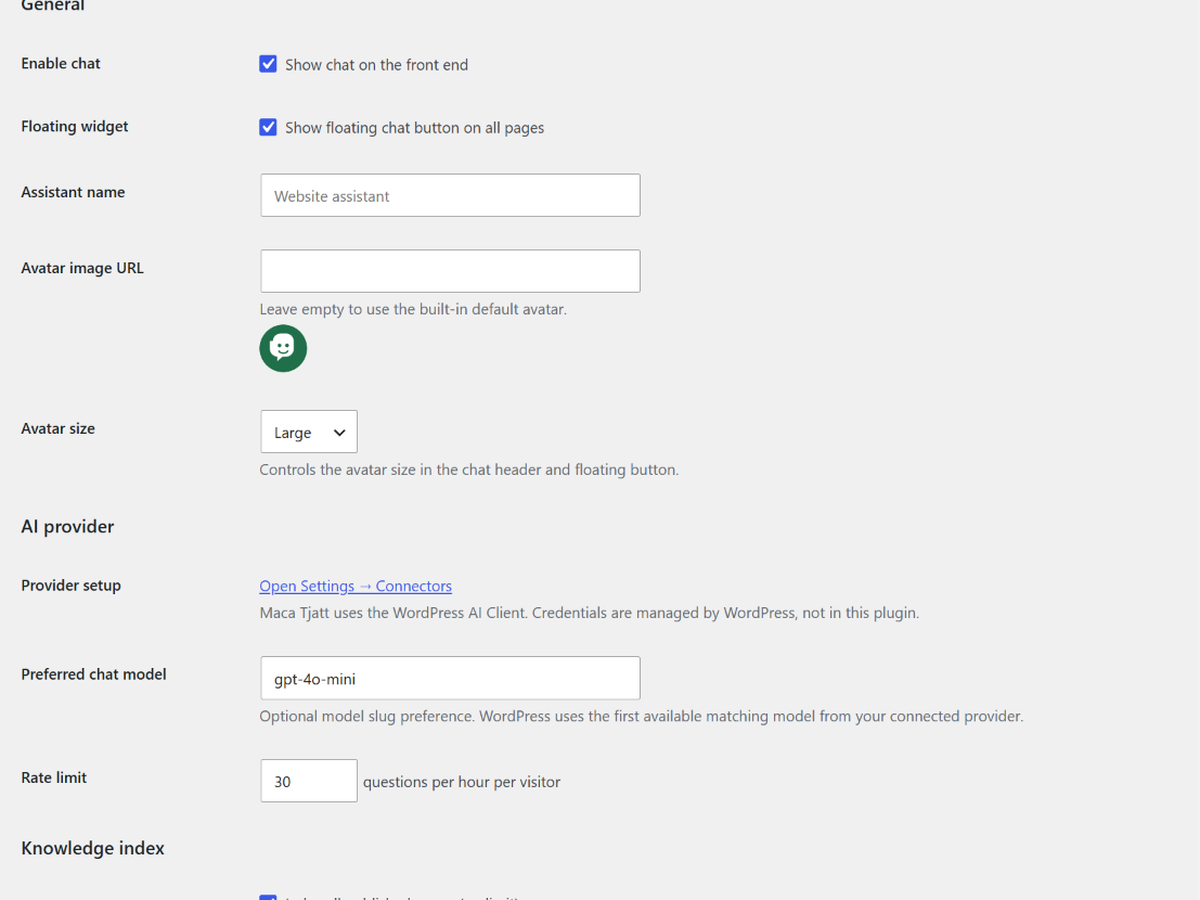
Maca Tjatt settings — enable chat, assistant name, and avatar
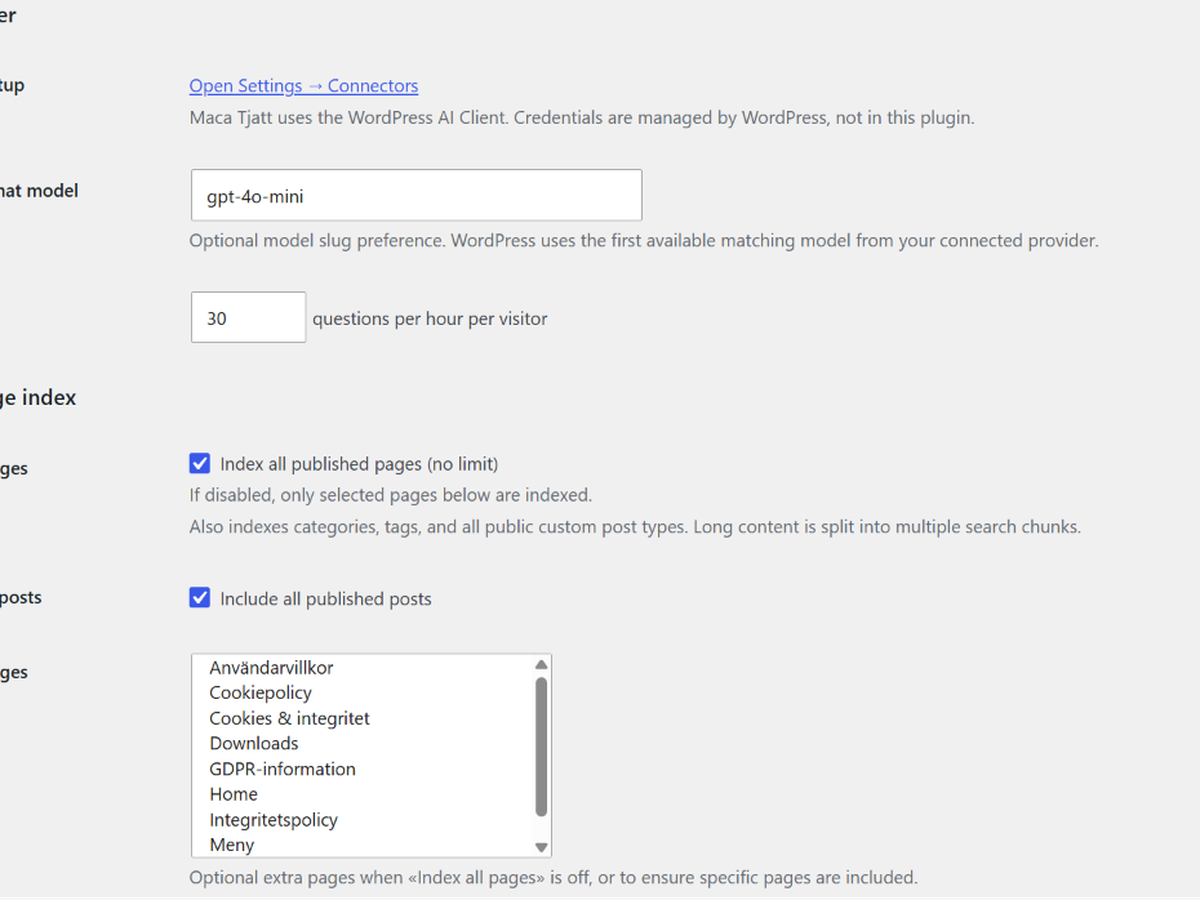
AI provider setup and preferred chat model
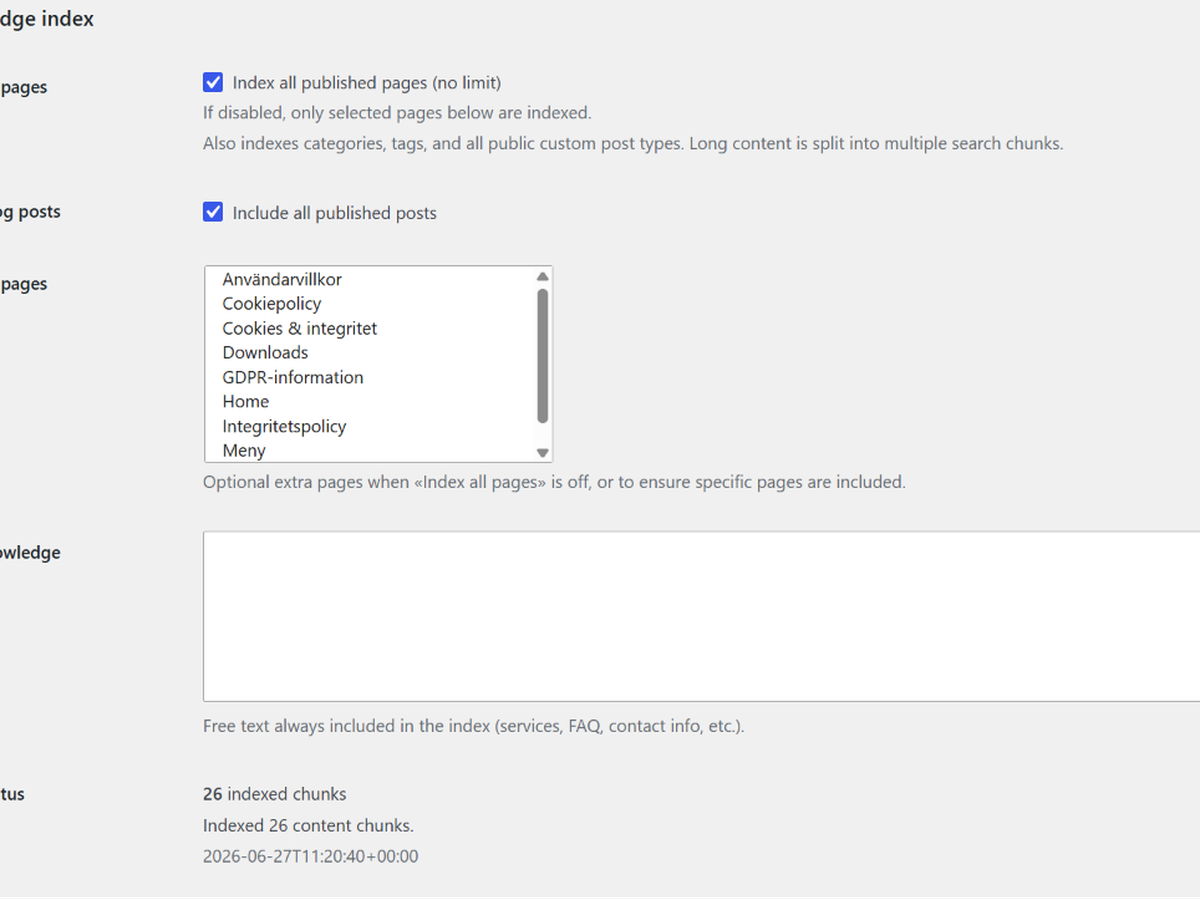
Knowledge index options and build index action
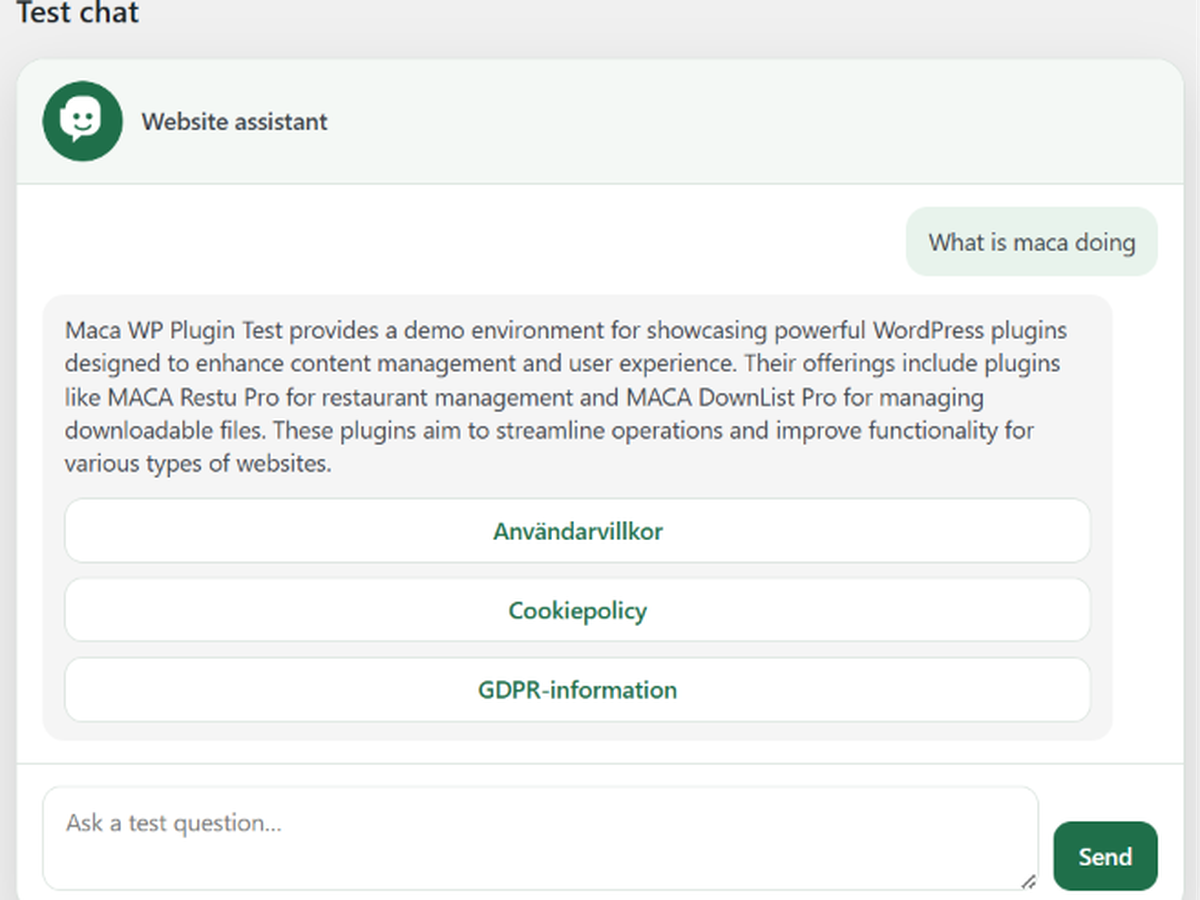
Admin test chat before publishing on the site
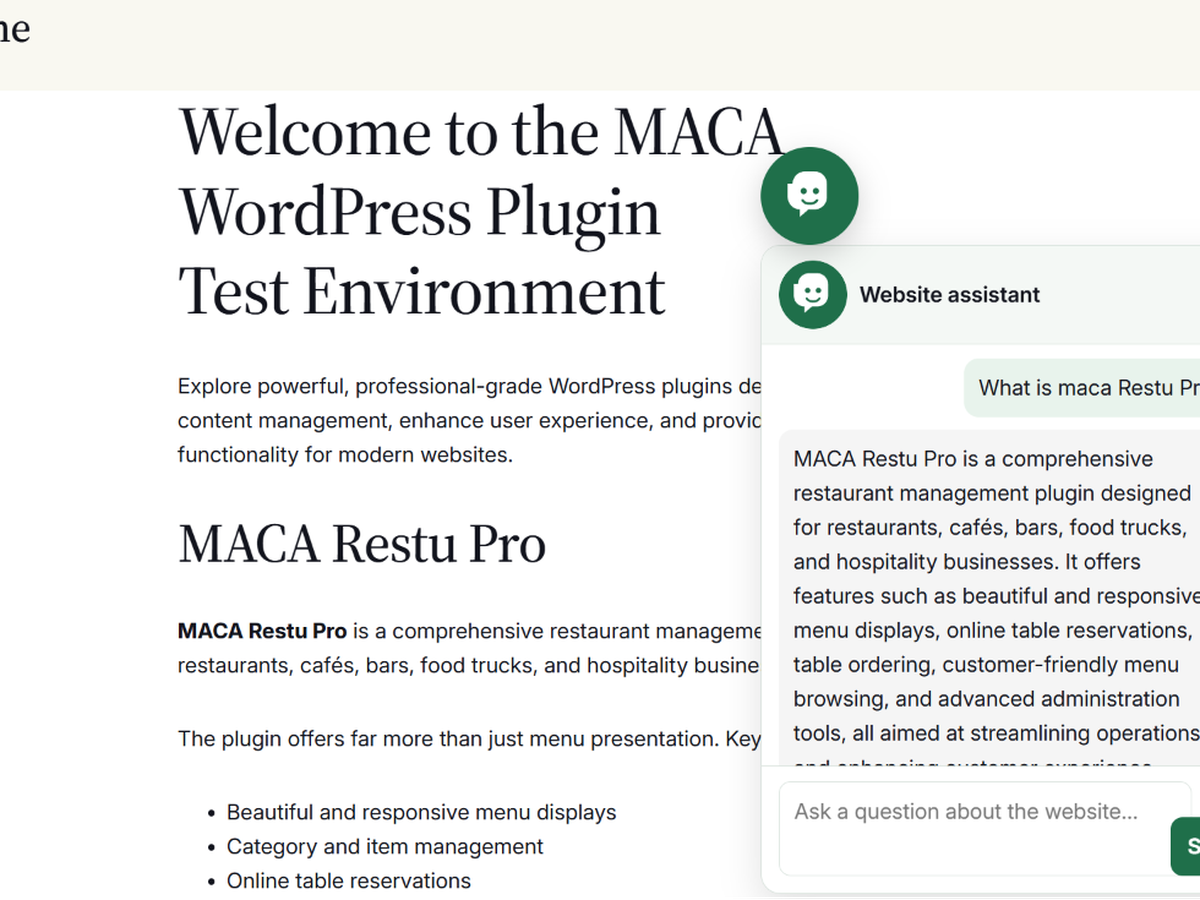
Floating chat widget on the front end
![Inline chat embedded with the [maca_tjatt] shortcode](https://ps.w.org/maca-tjatt/assets/screenshot-6.png?rev=3588095)
Inline chat embedded with the [maca_tjatt] shortcode
Installation
Use WordPress 7.0 or newer
Install and connect an AI provider under Settings Connectors
Upload the plugin folder to
/wp-content/plugins/maca-tjatt/Activate the plugin
Go to Maca Tjatt in wp-admin
Configure content sources and build the index
FAQ
-
Who pays for AI usage?
-
The site owner configures and pays for their chosen AI provider through WordPress Connectors. This plugin does not include or bill for AI access.
-
Does it store visitor chat history?
-
No. Questions are processed in real time and not saved to the database. Only the search index (website content chunks) is stored locally.
-
What content is indexed?
-
Site name and tagline, optional custom knowledge text, published pages, posts, categories, tags, public custom post types, and optionally selected pages.
-
What WordPress version is required?
-
WordPress 7.0 or newer, with the built-in AI Client and at least one connected AI provider.
-
What data is sent to Maca?
-
On activation, deactivation, and uninstall, the plugin sends your site URL, plugin version, WordPress version, PHP version, and locale to
https://api.maca.se/v1/tjatt/events.php. If you submit deactivation feedback, your chosen reason and optional comment are included. No chat messages, indexed content, or visitor data is sent. -
How do I uninstall completely?
-
Deactivate and delete the plugin from Plugins.
uninstall.phpremoves the search index table and plugin options.
Reviews
There are no reviews for this plugin.
Contributors & Developers
“Maca Tjatt” is open source software. The following people have contributed to this plugin.
Contributors
Translate “Maca Tjatt” into your language.
Interested in development?
Browse the code, check out the SVN repository, or subscribe to the development log by RSS.
Changelog
1.2.3
-
Smarter site URL resolution for api.maca.se telemetry (prefers public domain over 127.0.0.1/localhost on proxied hosts).
-
Defer activation telemetry to shutdown so request headers and WordPress URL filters are available.
1.2.2
-
Installation telemetry: sends activate, deactivate, and uninstall events to
api.maca.se/v1/tjatt/events.php(privacy disclosure in Description and FAQ). -
Deactivation feedback is sent via the same API instead of email; skip and submit both report deactivation.
1.2.1
- Apply avatar ring color to the chat box (header, send button, links, and user messages)
1.2.0
-
Fix avatar selection being reset to default when bundled avatar files are not readable on the server
-
Apply ring color and avatar URL directly in HTML so settings are not overridden by cached CSS
1.1.9
-
Replace the green background disc with a colored ring around the avatar image
-
Hide the chat button until the avatar image has loaded
1.1.8
- Admin avatar preview now matches the selected avatar size (small, medium, large)
1.1.7
- Rename avatar color setting to «Avatar ring color» and show it next to the preview
1.1.6
-
Make avatar button background color clearly visible as a ring around the avatar
-
Fix color picker saving via a dedicated hidden settings field
1.1.5
-
Fix avatar button background color not applying on the front end
-
Fix admin color picker value not always being saved on submit
-
Limit avatar preview size in settings to 50×50 px
1.1.4
-
Built-in chatbot avatars with dropdown selection and preview in settings
-
Floating chat button entrance animation and reminder after 30 seconds
-
Fix avatar selection not applying on the front end after saving settings
1.1.3
-
Deactivation feedback modal on the Plugins screen (like maca Restu)
-
Plugin URI updated to maca.se/maca-tjatt-info/
1.1.2
- Add built-in default avatar when no custom image URL is set
1.1.1
- Fix AI availability detection when Connectors shows a provider as connected
1.1.0
-
Migrate chat requests to the WordPress 7.0 AI Client
-
Remove direct OpenAI API integration and plugin-managed API keys
-
Local keyword-based search index (no external calls during indexing)
-
Requires WordPress 7.0
1.0.4
- Readme: screenshots section and OpenAI billing FAQ for WordPress.org listing
1.0.3
- WordPress.org prep: GitHub URI, external services documentation, Plugin Check escaping fixes
1.0.2
-
Avatar size setting
-
Swedish translations when site or user locale is Swedish
-
Plugin Check and packaging fixes
1.0.0
- Initial release extracted as standalone website chat plugin